Clear Method IQ

Use it free. Share what helps.

Build Your Anonymous Question QR Poster

Five quick steps to a print-ready poster that lets anyone ask for help quietly, honestly, without fear.

TOOL 21
QR CODE ToolKit
STEP 1 OF 5

Choose Your Template

Pick your audience. You can download all sizes and formats. Continue to the next screen to download the forms.

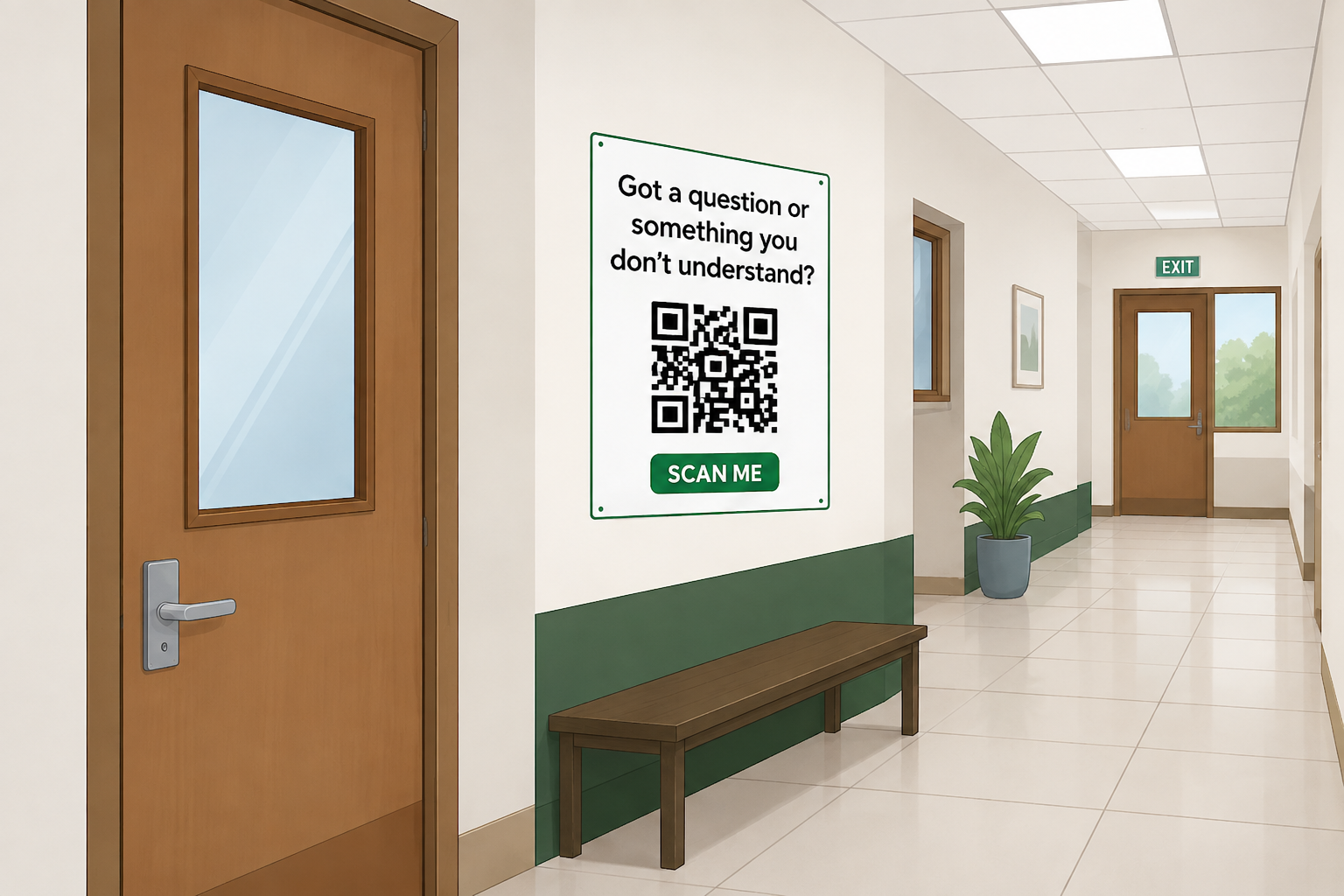
Teacher poster preview
💡 Tip: Bigger sizes (18"×24"+) read best from a distance.
C
Canva
Editable
Edit in Canva before printing or sharing.
PNG
Print Ready
High quality file ready to print.

Your download will match the size and format above.
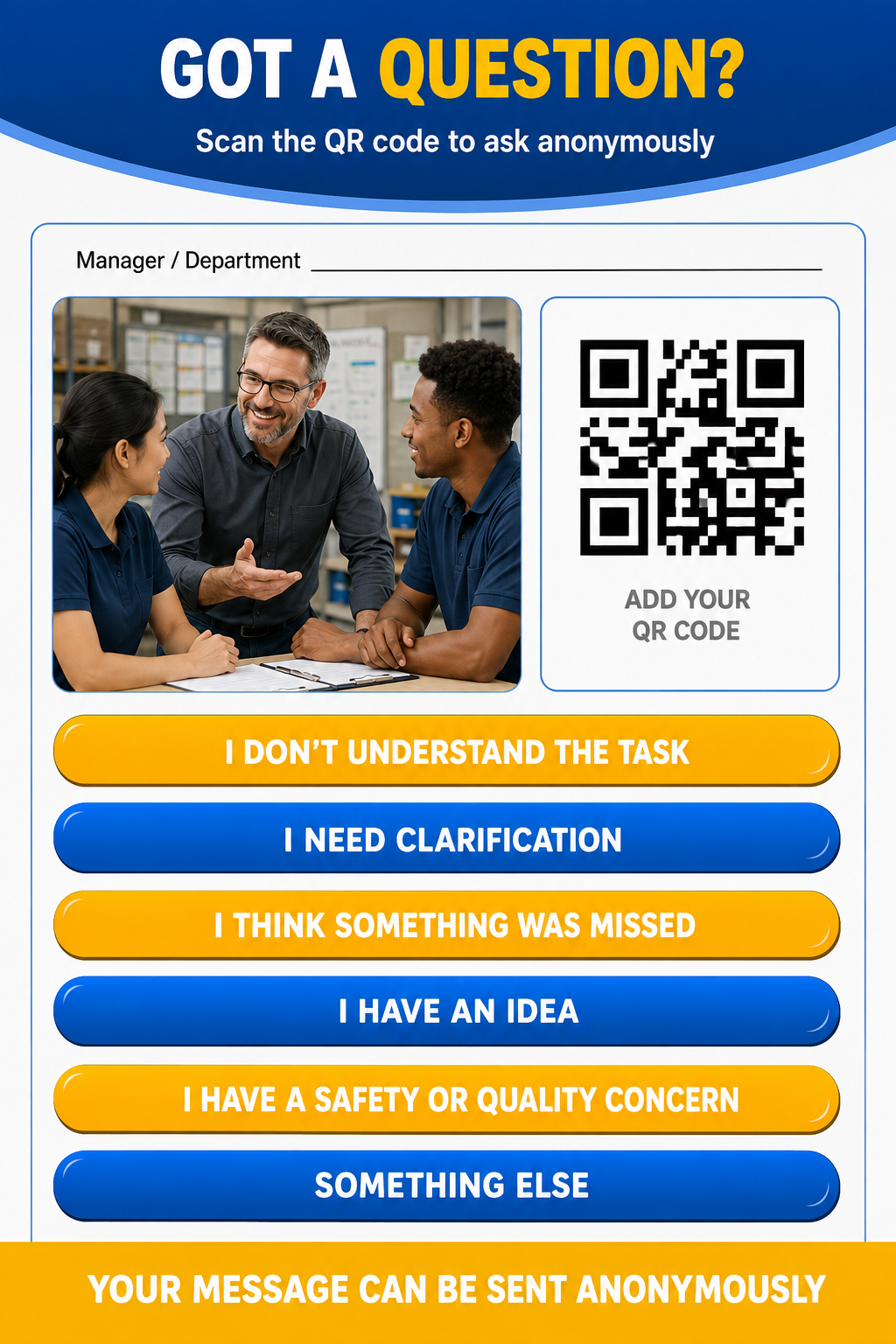
Manager poster preview
💡 Tip: Bigger sizes (18"×24"+) read best from a distance.
C
Canva
Editable
Edit in Canva before printing or sharing.
PNG
Print Ready
High quality file ready to print.

Your download will match the size and format above.

🔒 Your data is safe and private.
STEP 2 OF 5

Choose Your Response Form

Where do you want people to submit their responses?

Google Forms
(Free)
Simple, free, and perfect for most teachers and managers.
Download Google Form →
Jotform
More customization, automation, and advanced features.
Download Jotform →
?
Need help deciding?
Learn the differences between the two options.
★
Either option works great!
You can always switch later if you change your mind.
🔒 Your data is safe and private.
← Back to Choose Your Form

Why Google Forms?

Simple. Free. Familiar.

Google Forms is a great choice if you mainly want to collect responses and review them yourself — without paying for another service.

📋
SEE ALL YOUR RESPONSES IN ONE PLACE
125 responses + View in Sheets
Question 1
125 responses
Option A
Option B
Option C
Option D
Question 2
125 responses
Option A45 (36%)
Option B35 (28%)
Option C25 (20%)
Option D20 (16%)
📈
Easy Response Tracking
Every QR code submission goes directly into your form. Review individual responses, see basic response summaries, or send the information to Google Sheets when you need more organization.
★
Why people choose Google Forms
  • Free for basic use
  • Automatic charts and summaries
  • Very easy to learn
  • Google Sheets integration
  • Works with Google accounts
  • Great when you don't need advanced automation
👤
Google Forms is probably right for you if...
"I just want people to scan my QR code, submit their questions anonymously, and give me an easy place to read the responses."
Choose Google Forms →
★
Either option works great!
You can always switch later if you change your mind.
🔒 Your data is safe and private.
← Back to Choose Your Form

Why Jotform?

Don't just collect questions. Understand what people are telling you.

Jotform helps you collect anonymous responses, organize them, automate the process, and use AI-powered tools to understand larger amounts of feedback.

✨
TURN LOTS OF RESPONSES INTO USEFUL INSIGHTS
AI Summary
Most people are asking about homework, due dates, and grading policies. Overall sentiment is positive.
Sentiment
78%
Positive
Neutral
Negative
Top Topics
1 Homework38%
2 Due Dates26%
3 Grading18%
4 Other18%
Response Trend
Last 30 days
OFFICIAL JOTFORM RESOURCE

See How Teachers
Use Jotform AI

Jotform's official guide explains how its Al Data Assistant can help educators:

Analyze student responses
Identify patterns
Categorize feedback
Create visual summaries
Read Jotform's
Education Al Guide
MORE THAN AI
✏️
Customize your form
Give your response form a polished look and adjust it for your school, team, or organization.
⚡
Automate repetitive work
Set up notifications and workflows so you don't have to manually manage every response.
🗂️
Organize more feedback
Use reports, tables, filters, and integrations to manage responses as your audience grows.
🔗
Connect other tools
Jotform integrates with the tools you already use to save time and keep things in sync.
?
Do I need Jotform?
Not necessarily. If you only need a simple place to collect anonymous questions, Google Forms may be all you need. Jotform makes more sense when you want AI insights, more customization, automation, or stronger tools for managing a larger number of responses.
👤
Jotform is probably right for you if...
"I don't just want to collect responses. I want help understanding what everyone is telling me."
Choose Jotform →
★
Either option works great!
You can always switch later if you change your mind.
🔒 Your data is safe and private.
STEP 3 OF 5

Print Options

Add your QR code to the poster, then choose how to print it.
💡 Tip: 18"×24" is the recommended size. Use gloss or matte paper, and laminate for classrooms or high-traffic spaces.
fiverr.
Need to Make Changes Before Printing?
Forgot to add your logo, photo, or QR code? Our recommended designer can help prepare a print-ready version.
Add your QR code
Add your photo
Add your logo/branding
Print-ready file delivered
Fast, affordable, and reliable
Customize on Fiverr
★★★★★
Trusted by teachers and businesses
🔒 Your data is safe and private.
STEP 4 OF 5

Put Your Poster to Work

You did it! Now let's get the best results from your poster.
Google Forms
View responses in:
Optional Classroom Resources

Take Classroom
Feedback Further.

Turn private questions into
live classroom discussions.

Live Anonymous Q&A

Students can ask auestions in real
time without sharing their names

Interactive Polls

Quickly check understanding
and get everyone involved.

Instant Feedback

See what students understand
and where they need more support.

Optional resource • Affiliate link. We may earn a commission at no additional cost to vou.
💡 Best practice: explain what the QR code is for, check responses regularly, and test the code occasionally to make sure it still works.
🔒 Your data is safe and private.
STEP 5 OF 5

Congratulations!

Your OR feedback system is now ready

Students and employees can submit questions in seconds. and you receive every submission in one place.

↗
Share your poster with others in your school or organization.
★
Check out more tools and resources at ClearMethodIQ.com
💡 Pro Tip: Small changes based on feedback can create big improvements over time!

You’re all set 🎉

Thanks for downloading—I hope this helps you or
your team.
I’m building this to create safer, smarter
environments where people feel comfortable asking questions.

If this was helpful and you’d like to support the work,
you can buy me a coffee 👇

No pressure—just glad you’re here.